
The rest of this review was last updated before the company, Orion Telescopes, went out of business in 2024.
Technical Specs
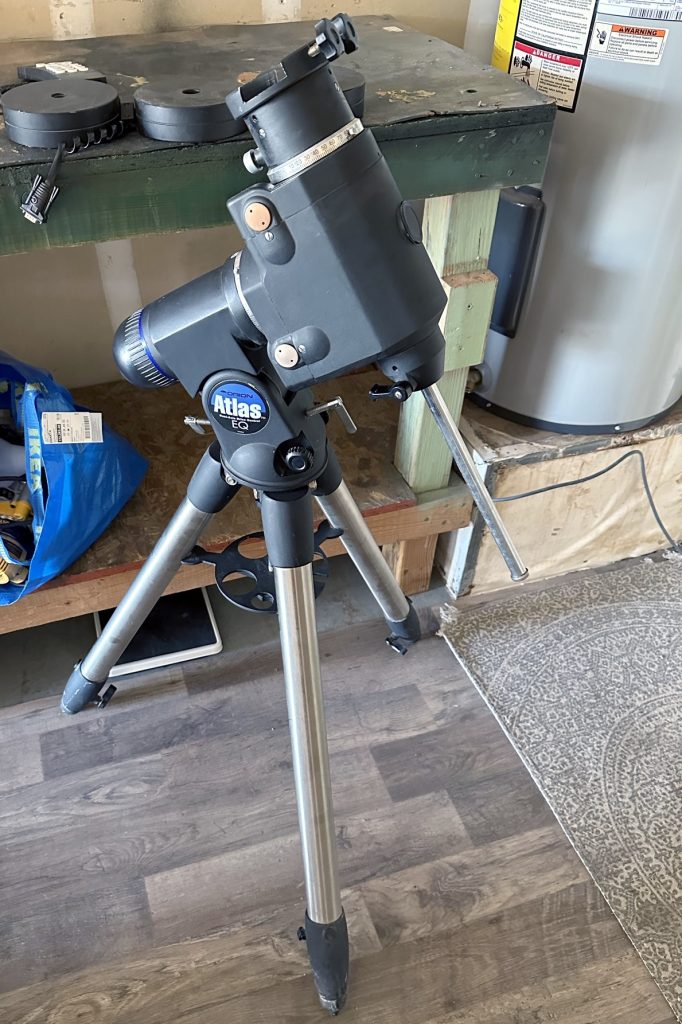
The Orion Atlas EQ-G is a rather old mount that has been around for over 20 years in some capacity. The Atlas is unique in that it has basically not changed at all in basic mechanical features, exterior design, or overall performance since its debut, with the only updates being that of its Go-To electronics and ports being added in place of the all-manual dual-axis drive system of the original, as well as changes to the dovetail saddle. The Atlas EQ-G is identical to the Sky-Watcher NEQ6 in design and performance; our comments apply to either mount, and spare parts from one will work seamlessly for the other.
The Atlas EQ-G is a German equatorial mount, like most others designed for astrophotography. It uses DC stepper motors, rather than cheap servos, for maximum accuracy in tracking and guiding. The declination axis rides on ball bearings instead of a simple washer like many low-quality mounts, and the right ascension axis uses similar ball bearings. An illuminated-reticle polar scope is also provided by default to aid you in polar aligning the Atlas in just a few minutes.
However, despite its strengths, the Atlas EQ-G does not have belt drives like the Sky-Watcher EQ6R Pro and some other newer heavy-duty mounts. In many cases, this difference may not affect you, but you can always opt for the EQ6R instead or upgrade the Atlas to a belt-driven system with aftermarket parts. The mount consists of a beefy 17.2 kg equatorial head and a 7.3 kg tripod with 2” diameter steel legs. This is the same tripod used by the Celestron Advanced VX and numerous Sky-Watcher mounts. The Atlas’ standard ¾” counterweight shaft retracts inside the mount’s body when not in use for maximum portability and convenience and will accept any counterweight designed for this shaft size.
With a stated weight capacity of 17.2 kg, the Atlas has no trouble holding an 11” or 12” Schmidt-Cassegrain or Ritchey-Chretien, a 10” Newtonian, and even the largest refractors and Maksutovs for visual observation, planetary imaging, and other applications where precise tracking for long exposures is not as critical. For astrophotography, the typical rule of thumb is to divide the stated weight capacity by half or maybe a generous two-thirds, or 9 – 12 kg, respectively. This corresponds to a 4-5” refractor, an 8” Newtonian/Cassegrain, or a 9.25” Schmidt-Cassegrain, respectively. Larger telescopes may have trouble achieving sufficient tracking or guiding accuracy, or even remaining steady in the wind, for long exposures on the Atlas EQ-G.
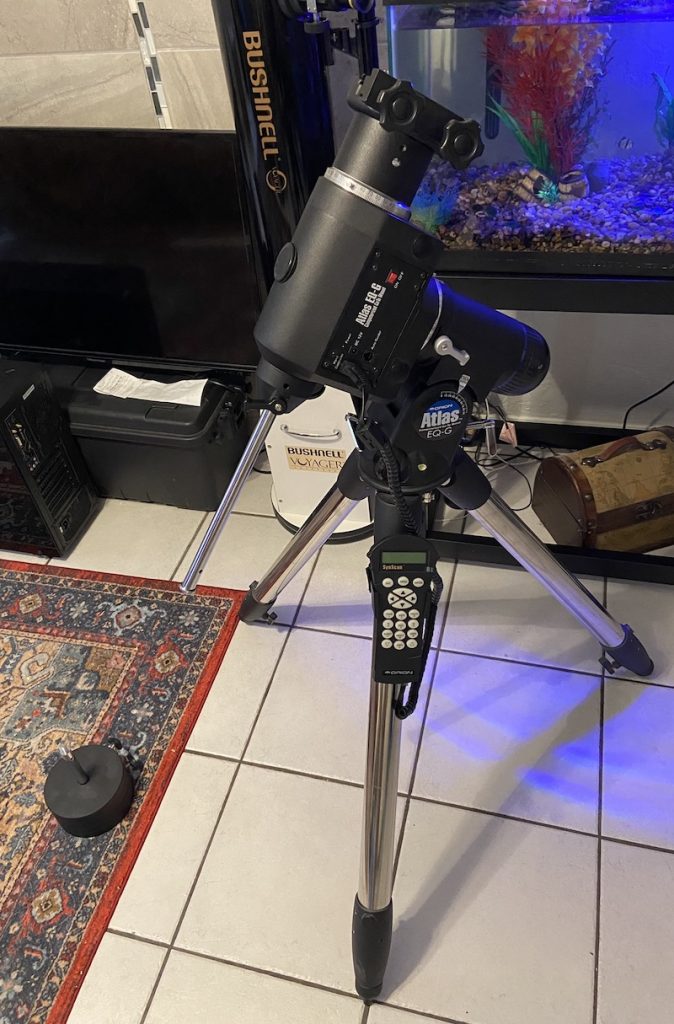
The newer versions of the Atlas EQ-G have a dual Losmandy/Vixen-style dovetail saddle capable of accepting either format dovetail bar as well as CGE-style dovetails, which are marginally smaller than Losmandy D plates. Older Atlas mounts have a Vixen-style saddle, which is easily upgraded to the newer design. The 2021 and newer versions of the Atlas have a USB-3 port for direct connection to a PC, while older ones will require an EQDIRECT serial port adaptor or a board upgrade to add the USB port. This is in stark contrast to some other mounts, which can often require a confusing array of cables to adapt to a PC. While the mount does have an ST-4 autoguider port, it is generally advisable to just guide through the USB connection directly to minimise cables and possible software/hardware problems.
The Atlas EQ-G includes two 5 kg counterweights by default, which is probably all you need for imaging and most visual purposes, and a DC cord is supplied for power. The mount is controlled with the SynScan V5 hand controller when you’re not running it directly through a PC connector cable, and you can swap the SynScan for a WiFi adaptor if you wish.
Using the Atlas EQ-G for Visual Astronomy & Planetary Imaging
Using the Atlas EQ-G for visual astronomy is a breeze, and once the mount is actually assembled, it’s only slightly more complicated to set up than an alt-azimuth mount, with the additional steps of balancing and polar alignment. When it comes to solar, lunar, and planetary imaging, the procedure is the same, though you’ll want to use an eyepiece to align and centre your target object before swapping in a camera.
After setting up and levelling the tripod, polar aligning the mount, balancing the telescope, and turning it on, the Atlas EQ-G’s SynScan will prompt you to perform a Go-To alignment, which is just as easy as with any other Go-To mount. You simply centre your telescope on two or three bright stars, and the alignment is complete. There are also quick setup functions like one-star or Solar System Align, although they are less accurate. With a database of over 40,000 objects, the SynScan hand controller includes features like “Sky Tour” and the ability to programme new objects like comets. Periodically syncing the controller will correct any tracking errors caused by an imperfect polar alignment or balance, and you can adjust the slew speed when making minor corrections to centre an object at high power or with a camera.
Using the Atlas EQ-G for Deep-Sky Astrophotography
You can technically set up the Atlas EQ-G with just the SynScan hand controller for deep-sky imaging, but it’s not recommended. Not only does setting up and accurately aligning the Go-To take longer and leave more room for error, but it’s not possible to autoguide the mount if you don’t use a PC. Without autoguiding, it’s difficult to keep the mount on target during long exposures, especially with bigger and heavier telescopes at longer focal lengths. Instead, it’s best to connect the mount to a PC and use image sequencing and capture software like NINA or Sequence Generator Pro to control the telescope, as well as to run an autoguider.
Once you’ve connected all the necessary cables, turned on the mount, and connected the mount to your PC, you can use the software to aim the telescope and plate solve until you’re on target. Image capture software can also control motor focusers or filter wheels and handle meridian flips automatically, saving you time and frustration.
When you’re ready to start taking exposures, autoguiding can be done with PHD2 and a compatible guide scope and camera, usually automatically controlled by the same software suite that runs your mount. If everything is properly aligned and focused, and the software is functioning correctly, you can leave your telescope, mount, and computer to do their jobs while you do something else, like observing through another telescope or relaxing.
Should I buy a Used Orion Atlas EQ-G?
Purchasing a used Atlas EQ-G mount can offer excellent value, especially if you find one at the right price. However, it’s important to exercise caution and ensure that you’re buying from a trustworthy seller who has used and maintained the mount properly. When purchasing any used Go-To mount, electronics problems can range from minor fuse or solder repairs to a dead motor board, which can be costly to replace. It’s always best to inspect the mount thoroughly before buying to avoid any surprises.
You should also be sure of what version of the Atlas you are buying. The oldest versions of the Atlas have only a dual-axis motor drive and are not easily upgraded to Go-To, while older Go-To Atlas EQ-Gs lack newer units’ USB ports or dual Vixen/Losmandy-style saddle, though you can get by without the former and easily upgrade the saddle to obviate the latter. Older SynScan controllers also tend to have fewer features but still work fine, and of course the controller is simply irrelevant to imagers. However, be prepared to pay less accordingly.
Some common issues with a used Atlas mount, such as missing knobs or a broken dovetail saddle, can be relatively easy and inexpensive to fix. If the tripod needs to be replaced, this is also a fairly straightforward process if you can find a spare from any other Synta mount, such as the Celestron or Sky-Watcher German equatorial mounts that use the same 2” steel tripod.