Technical Specs
The HEQ5 Pro has a stated weight capacity of 13.6 kg for visual use and 10.9 kg for astrophotography. In my practical experience, anything much heavier than 9 kg loaded atop the HEQ5 Pro for visual or planetary imaging use is shaky and puts a lot of strain on the gears. Also, anything heavier than 7.3 kg for astrophotography results in poor guiding and blurry images even if I use it with relatively short exposures.
The HEQ5 Pro can hold any scope with a Vixen-style dovetail bar attached to the scope’s bottom side. If your telescope doesn’t already have one, the mount comes with a short, green Vixen-style dovetail that you can attach. However, the stock saddle is not my favourite, as it uses two screws that mar the dovetail, making it a little hard for me to adjust balance on the declination axis. I would recommend upgrading the saddle to a nicer one if you have the funds to do so.
Being a Chinese-made, relatively inexpensive mount rather than an unobtainium magic instrument costing as much as an apartment, the HEQ5 Pro uses relatively cheap stepper motors and gears to track the sky and slew around. Of course, I’m not saying that it doesn’t cause some periodic errors and backlash. There are some belt mod/tuning kits available to improve tracking, and of course, most tracking errors can be solved with autoguiding anyway. The more expensive Sky-Watcher models, such as the AZ-EQ5 Pro and the larger EQ6R Pro, offer belt drives included by default, unlike the HEQ5 Pro.
The HEQ5 Pro includes two 5 kg counterweights. These attach to its ¾” counterweight shaft, which I can retract inside the body when the mount is not in use. I also got a built-in illuminated polar scope and a DC power cord by default with the purchase.
Software Compatibility
You can control the HEQ5 Pro by plugging it into your computer with an EQDIRECT cable. You can then control the entire setup with NINA, Sequence Generator Pro, or other imaging/capture software, provided you install the ASCOM drivers, EQMod, and PHD2 first.
NINA allows me to plate-solve for extremely accurate alignment, and once I iron out any bugs that could occur with my whole setup, I can just put the scope together, polar align, focus, and tell NINA what I want to shoot (it can even do multiple targets). NINA does exactly what I programmed, even including a meridian flip. I can go to sleep, watch television, or do visual astronomy as it shoots my astrophotos completely autonomously—I just make sure to provide sufficient power for the whole setup with AC power or a large 12V marine battery.
Using HEQ5 Pro For Visual Astronomy & Planetary Imaging
If you’re looking for a lightweight, portable, and computerised mount to carry your Celestron C8 optical tube or a similarly small/lightweight telescope weighing under 6.8 – 9 kg in total, I’m pretty sure that the HEQ5 Pro would be great. However, if you are looking to get the most mount capacity for your money, there are a couple of better options with more capacity.
The HEQ5 Pro was noticeably a little overweight when I used it with one of my 8” Cassegrains and 5-6” refractor. It also couldn’t hold an 8” Newtonian reflector or above. A 6” Newtonian/Cassegrain or 4” refractor is about as much as I would recommend loading on the mount.
Setting up the HEQ5 Pro for visual astronomy was pretty simple for me:
- I first got the mount levelled, then put the telescope and counterweights on. Careful balancing is not as crucial as with astrophotography, but poor balancing will wear out the mount’s gears, so I’d advise you to try your best.
- Once that’s done, I rotate the scope 90 degrees on the declination axis (so that it’s pointing near the horizon) and look through the polar scope with the aim of getting the outer circle in the polar scope’s reticle closely aligned with Polaris.
- Then I boot up the mount and star align it as with any computerised mount.
Using HEQ5 Pro For Deep-Sky Astrophotography
The HEQ5 Pro, of course, has an autoguide port, so a guide camera can interface with it, and you can control most guide cameras with PHD2 (“Push Here Dummy”) on most laptops.
When I tried using the HEQ5 mount without guiding, its tracking errors resulted in blurred subframes on most scopes with anything longer than 30-45 seconds of exposure. With autoguiding, I was able to achieve accuracy of 0.9 arcseconds, shoot 3-minute subframes with a 3″ f/8 refractor and still get perfect stars, and shoot up to 90 seconds with a 6″ f/9 Ritchey-Chretien and still get good results. But I believe that the 6” Ritchey is really maxing out the mount’s capabilities, and so I would recommend you upgrade to a bigger mount if a scope with over 1000mm of focal length is really something you want to shoot with often.
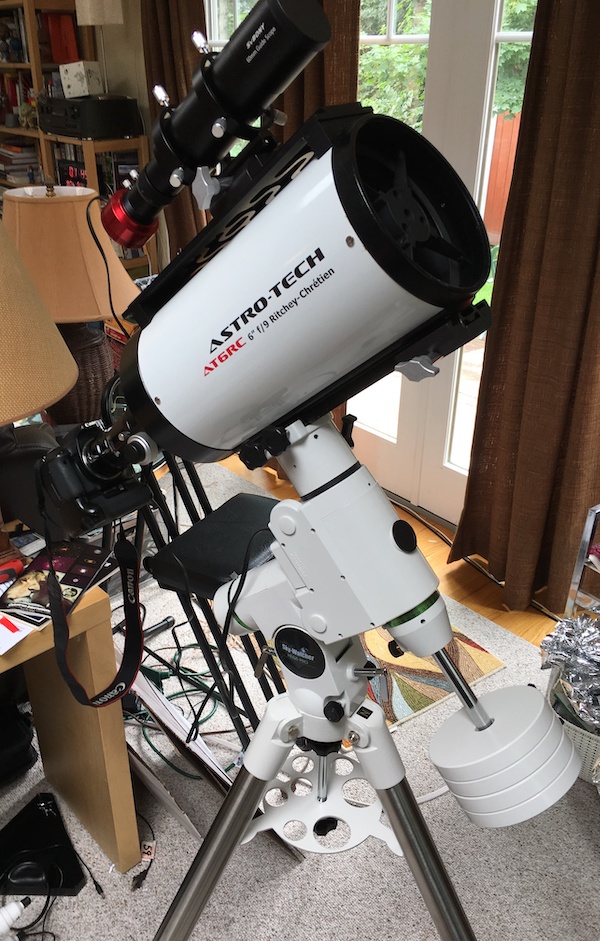
Software like NINA can run PHD2 for you and auto-select stars, so you don’t have to if you are interested in a totally automated setup.
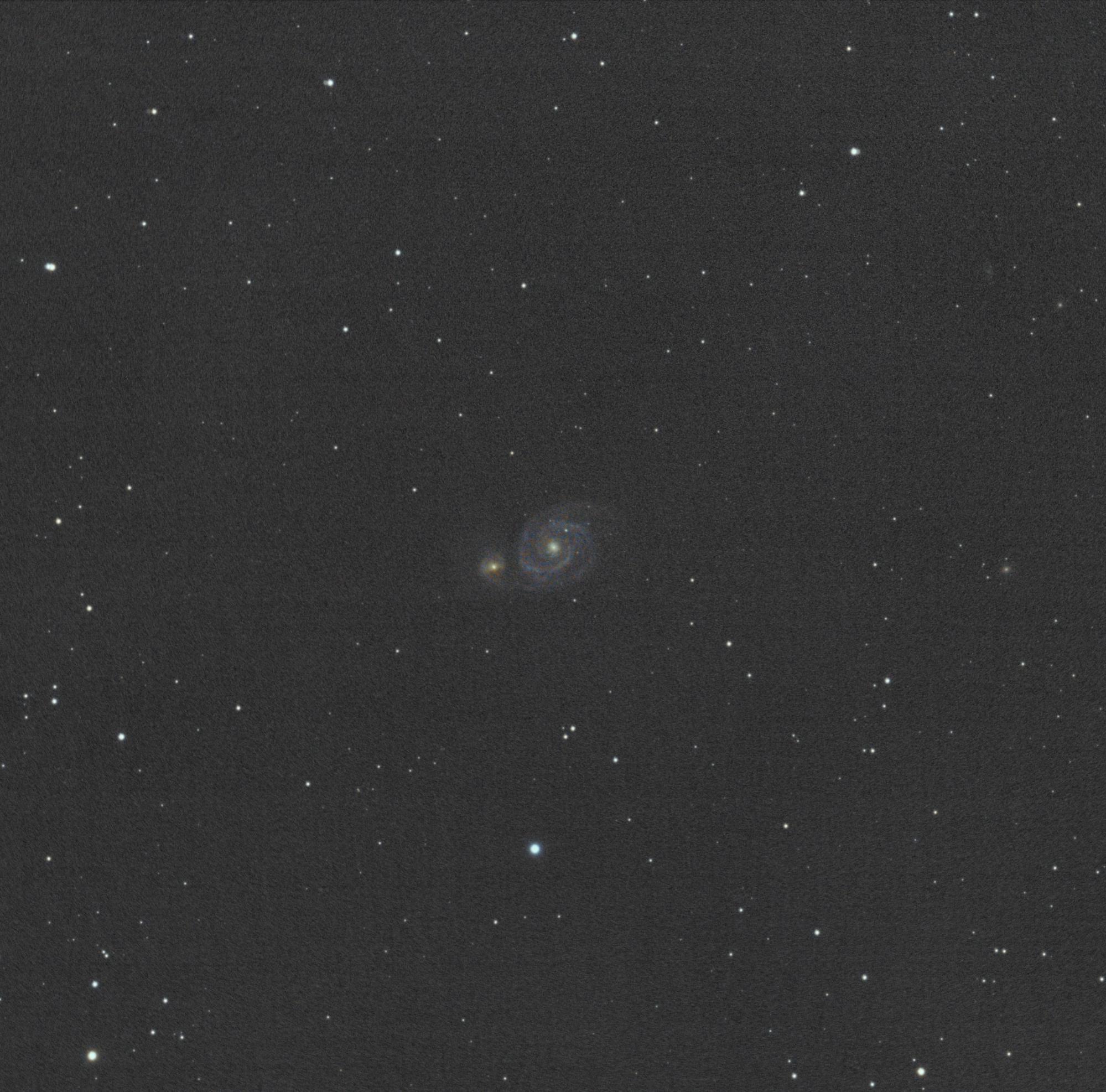
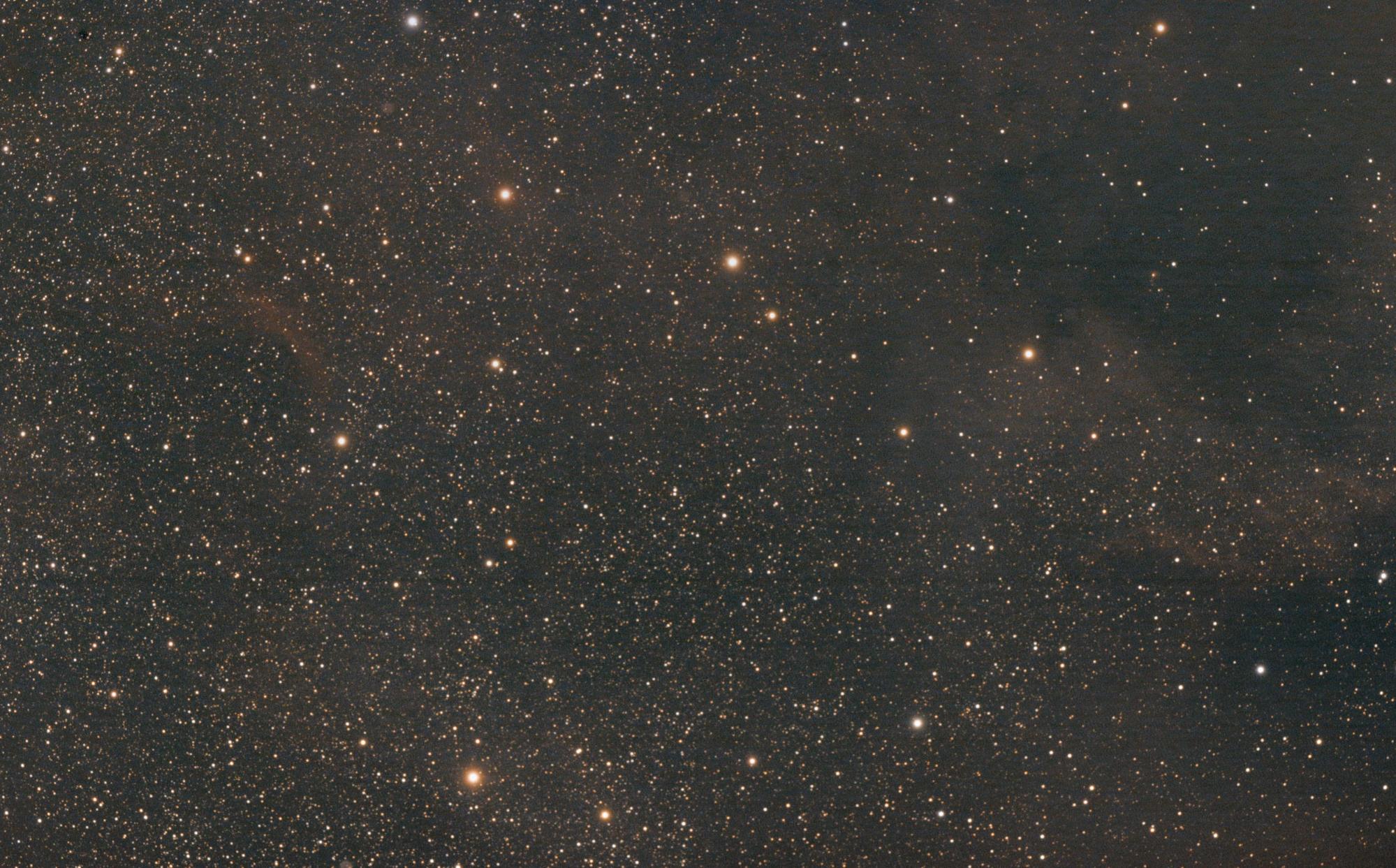
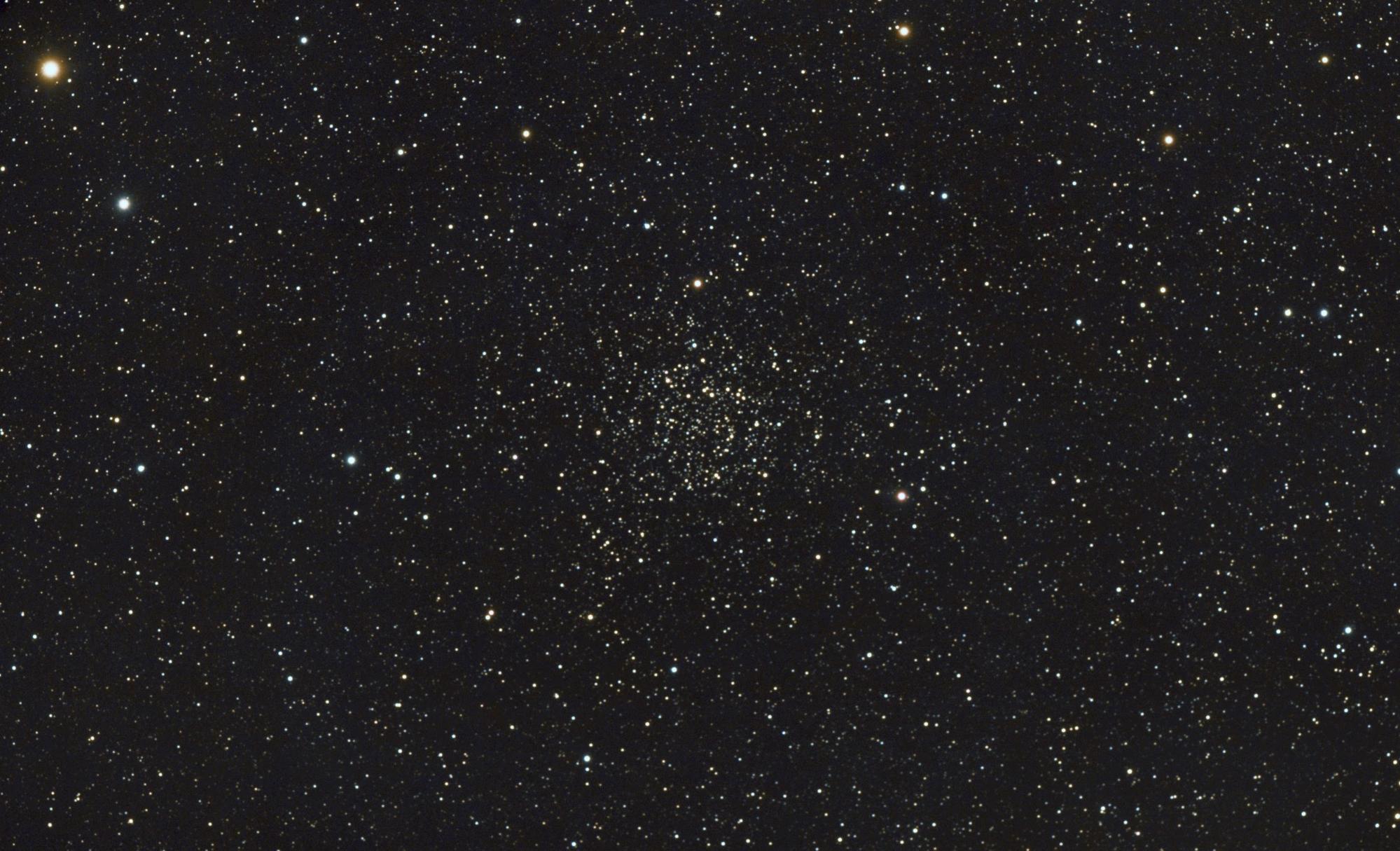
Below are three photos that I shot with my HEQ5 Pro, my Takahashi FC-76 (a 3” f/8 ED doublet refractor), a field flattener, a full-spectrum modified Canon T3i, and autoguiding with a 50mm guide scope and ZWO ASI224MC:
Should I buy a Used Sky-Watcher HEQ5 Pro?
I’d confidently state that a used HEQ5i Pro or HEQ5 Pro would be an excellent choice for a mount. You can easily upgrade an older HEQ5 to an HEQ5i with Sky-Watcher’s WiFi adaptor or to a newer SynScan controller. The now-defunct Orion Sirius EQ-G is also identical.
The non-Pro HEQ5 is a manual mount, however, and is extremely hard to upgrade to GoTo and thus should be avoided.
As always, make sure that the HEQ5/5i Pro functions and tracks well before purchasing. Missing counterweights or knobs are easily replaced, and it’s also easy to find a new (and arguably steadier) tripod from a Celestron or Sky-Watcher mount to put it on.